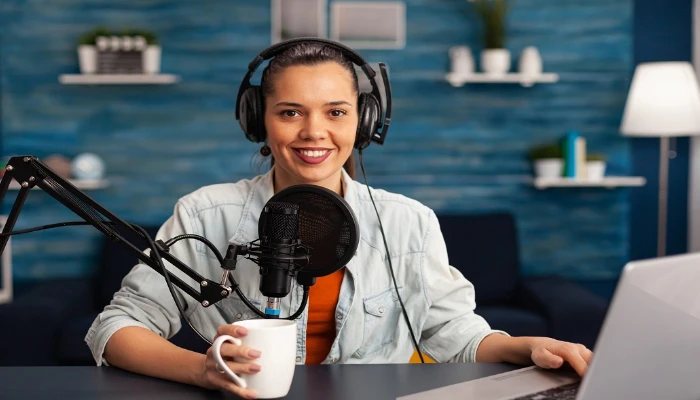






Podcast Production
What you'll learn
• Set up microphones and basic recording spaces
• Improve voice delivery, pacing, and tone
• Record and edit professional voice-over tracks
• Plan and structure podcast episodes
• Add music, intros, and outros professionally
• Publish podcasts to major streaming platforms
This course includes:
• 1 Final Podcast / Voice-over Project
• 12–16 Hours Live Classes
• Online / Onsite (Physical)
• Practice Scripts & Audio Assets
• Recording & Editing Exercises
• Certificate of Completion
Course Content
Microphone Setup & Recording Environment
• Understanding microphones:
- USB microphones
- XLR microphones
• Basic acoustic treatment techniques
• Reducing background noise and echo
• Setting recording levels correctly
• Creating a simple home studio setup
Voice Delivery & Performance
• Voice projection techniques
• Pacing and pronunciation
• Tone and emotion in speaking
• Breathing and clarity exercises
• Reading scripts naturally and professionally
Recording & Editing Voice-over
• Recording voice tracks using:
- Audacity
- Adobe Audition
• Editing: - Cutting mistakes
- Removing noise
- Adding fades
• Basic EQ and compression for voice clarity
• Exporting clean voice-over files
Podcast Structure & Planning
• Planning podcast episodes
• Creating episode outlines and scripts
• Podcast formats:
- Solo
- Interview
- Discussion panel
• Audience engagement basics
• Branding and naming your podcast
Music, Intros & Outros
• Adding background music
• Creating podcast intros and outros
• Balancing voice and music levels
• Copyright-free music resources
• Basic sound design for podcasts
Final Project
Project: Complete Podcast Episode / Voice-over Demo
Features:
• Professional voice recording
• Intro and outro music
• Edited and cleaned audio
• Structured episode or narration
• Export-ready final production
Publishing & Distribution
• Export formats:
- MP3
- WAV
• Publishing to: - Spotify
- Apple Podcasts
• Understanding RSS feeds
• Uploading podcast artwork and metadata
• Basic podcast distribution workflow
Requirements
• No prior recording experience needed
• Laptop/PC with microphone and headphones recommended
Description
This course introduces students to professional voice-over recording and podcast production. Students will learn recording techniques, voice performance skills, audio editing, and podcast publishing workflows.
By the end of this program, learners will be able to create and publish professional-quality podcasts and voice-over projects.
Why Choose This Course?
• Beginner-friendly audio production workflow
• Practical recording and editing skills
• Podcast publishing guidance
• Portfolio-ready voice and podcast projects
Activities During Class
• Recording voice sessions
• Practicing voice delivery
• Editing podcasts and voiceovers
• Adding intros and music
• Publishing completed episodes
Who Is This Course For?
• Beginners in podcasting
• Aspiring voice-over artists
• Content creators and YouTubers
• Students interested in media production
Course Highlights
• Microphone Setup
• Voice Techniques
• Audio Editing
• Podcast Planning
• Music & Sound Design
• Publishing & Distribution
🎙️ Final Outcome
Students will be able to:
• Record professional-quality voice audio
• Edit and enhance voice tracks
• Create and structure podcasts
• Add music and branding elements
• Publish podcasts on streaming platforms
📸 Course Gallery